
To give you the best possible experience, this site uses cookies. Using your site means your agree to our use of cookies. We have published a new cookies policy, which you should need to find out more about the cookies we use. View Cookies Policy.
Autel MAXISYS ADAS IA600 Full Kit Plus Laser Version
  • -AED5,000.00
  • New
(مراجعة0)
AED30,000.00AED35,000.00
Magic FLS0.5MMagic FLS0.5M - Full Flex SW Master Package
  • On sale!
  • -AED315.00
(مراجعة0)
AED21,685.00AED22,000.00
  • New
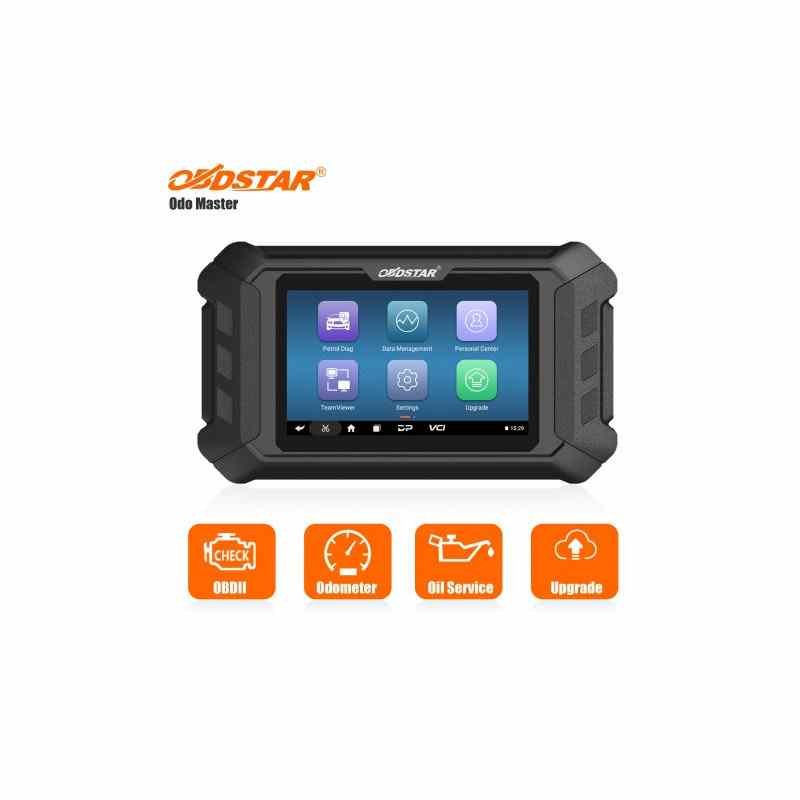
    Obdstar Odo Master Upgrade To Full Version
    Obdstar Odo Master Upgrade To Full Version

    Obdstar Odo Master Upgrade To Full Version

    (Review 0)
    AED1,100.00

    Obdstar Odo Master Upgrade To Full Version

    Quantity :
    SKU:ME00953
    Write your review

    EU3234363840424446USXX5XSSMLXLXXLXXLArm Length6161,56262,56363,56464,5Bust Circumference8084889296101106111Waist Girth6165697377828792Hip Circumference87919599103108113118

    • Security policySecurity policy(edit with the Customer Reassurance module)
    • Delivery policyDelivery policy(edit with the Customer Reassurance module)
    • Fast DeliveryFast Delivery(edit with the Customer Reassurance module)
    Obdstar Odo Master Upgrade To Full Version

    The Review On YouTube

    To upgrade your OBDSTAR ODO Master to the full version (often meaning adding Airbag Reset or getting more features/updates), you usuallybuy an authorization code/service from a dealer, provide your device's serial number (found on the back/user info), and they activate it online, or you use the update tool on a computer after purchasing the upgrade package, sometimes adding specific cables/kits for extra functions like airbag reset (similar to P50) or motorcycles.
    Steps to Upgrade/Activate Full Features:
    1. Identify Your Need: Determine if you need the Airbag Reset function (like a P50) or just more car models/updates.
    2. Purchase Upgrade: Buy the specific upgrade service (e.g., "ODO Master Full Version Authorization", "Airbag Reset Kit") from an authorized dealer.
    3. Provide Serial Number: Give your device's serial number (starts with 9014) to the seller for activation, usually within 24 hours.
    4. Use Update Tool (for some updates): For software updates, remove the TF card, insert it into your PC, log into the update tool, select the software, and update.
    5. Check for New Menus: After activation, a new "autometer" or specific function menu might appear on the device's home screen.
    Key Points:
    • Activation is Online: Most upgrades involve an online activation linked to your serial number, not shipping the device.
    • Airbag Reset: Requires purchasing a separate authorization and often specific adapters (like M037, M041 for some bikes).
    • Updates: The device usually comes with a free update period (e.g., 1 year), after which a subscription is needed.
    • No Refunds: Once activated, the upgrade service is generally non-refundable.
    Always check the specific product page or seller for exact instructions as procedures can vary slightly. 
    Obdstar Odo Master Upgrade To Full Version
    Discover All OBDSTAR Tools From Here
    ME00953
    50 Items

    Specific References

    No customer reviews for the moment.

    Write your review
    Obdstar Odo Master Upgrade To Full Version
    Obdstar Odo Master Upgrade To Full Version

    Obdstar Odo Master Upgrade To Full Version

    AED1,100.00