
To give you the best possible experience, this site uses cookies. Using your site means your agree to our use of cookies. We have published a new cookies policy, which you should need to find out more about the cookies we use. View Cookies Policy.
Autel MAXISYS ADAS IA600 Full Kit Plus Laser Version
  • -AED5,000.00
(Review 0)
AED30,000.00AED35,000.00
Magic FLS0.5MMagic FLS0.5M - Full Flex SW Master Package
  • On sale!
  • -AED315.00
(Review 0)
AED21,685.00AED22,000.00
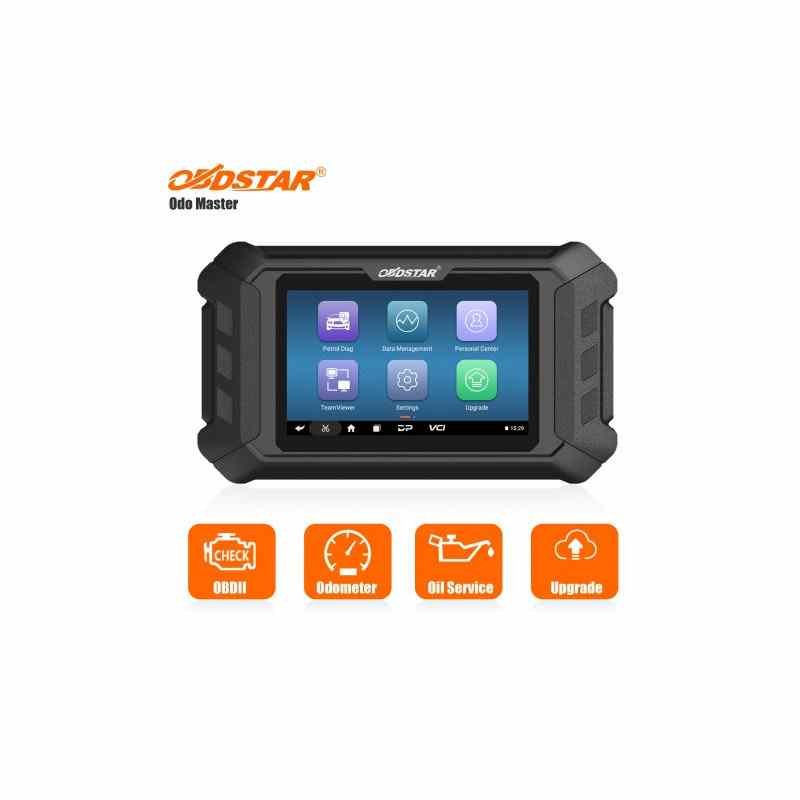
      Obdstar Odo Master Upgrade To Full Version
      Obdstar Odo Master Upgrade To Full Version

      Obdstar Odo Master Upgrade To Full Version

      (Review 0)
      AED1,100.00

      Obdstar Odo Master Upgrade To Full Version

      Quantity :
      SKU:ME00953
      Write your review

      EU3234363840424446USXX5XSSMLXLXXLXXLArm Length6161,56262,56363,56464,5Bust Circumference8084889296101106111Waist Girth6165697377828792Hip Circumference87919599103108113118

      • Security policySecurity policy(edit with the Customer Reassurance module)
      • Delivery policyDelivery policy(edit with the Customer Reassurance module)
      • Fast DeliveryFast Delivery(edit with the Customer Reassurance module)
      Obdstar Odo Master Upgrade To Full Version

      The Review On YouTube

      To upgrade your OBDSTAR ODO Master to the full version (often meaning adding Airbag Reset or getting more features/updates), you usuallybuy an authorization code/service from a dealer, provide your device's serial number (found on the back/user info), and they activate it online, or you use the update tool on a computer after purchasing the upgrade package, sometimes adding specific cables/kits for extra functions like airbag reset (similar to P50) or motorcycles.
      Steps to Upgrade/Activate Full Features:
      1. Identify Your Need: Determine if you need the Airbag Reset function (like a P50) or just more car models/updates.
      2. Purchase Upgrade: Buy the specific upgrade service (e.g., "ODO Master Full Version Authorization", "Airbag Reset Kit") from an authorized dealer.
      3. Provide Serial Number: Give your device's serial number (starts with 9014) to the seller for activation, usually within 24 hours.
      4. Use Update Tool (for some updates): For software updates, remove the TF card, insert it into your PC, log into the update tool, select the software, and update.
      5. Check for New Menus: After activation, a new "autometer" or specific function menu might appear on the device's home screen.
      Key Points:
      • Activation is Online: Most upgrades involve an online activation linked to your serial number, not shipping the device.
      • Airbag Reset: Requires purchasing a separate authorization and often specific adapters (like M037, M041 for some bikes).
      • Updates: The device usually comes with a free update period (e.g., 1 year), after which a subscription is needed.
      • No Refunds: Once activated, the upgrade service is generally non-refundable.
      Always check the specific product page or seller for exact instructions as procedures can vary slightly. 
      Obdstar Odo Master Upgrade To Full Version
      Discover All OBDSTAR Tools From Here
      ME00953
      50 Items

      Specific References

      No customer reviews for the moment.

      Write your review
      Obdstar Odo Master Upgrade To Full Version
      Obdstar Odo Master Upgrade To Full Version

      Obdstar Odo Master Upgrade To Full Version

      AED1,100.00