





* 2 Years Free Softwrare
* Work with android Only
* Support Offlince Programming
 Security policy(edit with the Customer Reassurance module)
 Delivery policy(edit with the Customer Reassurance module)
 Fast Delivery(edit with the Customer Reassurance module)
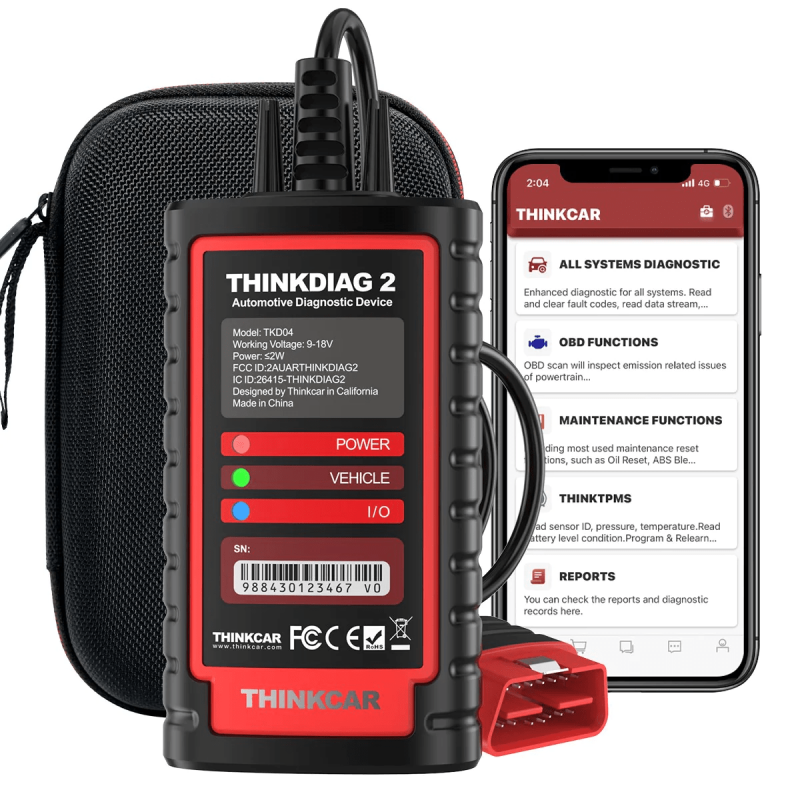
Thinkdiag2 is the upgraded version of Thinkdiag car code reader/automotive scanner.
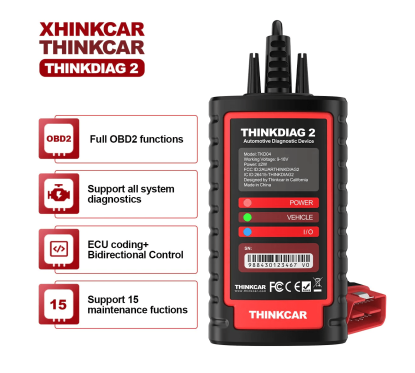
Thinkdiag2 OBDII code scanner is designed for individual car owners, DIYers, and minor repair shops, which has a separate menu of 15 standard special functions, such as Oil reset, EPB reset, DPF regeneration, SAS calibration, ABS bleeding, injector code, IMMO matching, TPMS reset, etc. Enter from the all-system diagnostic menu to unlock more system special functions and effectively handle the reset and relearn of most cars.
Note: The maintenance functions that each car can do may be different.
Full System OE level functions
ThinkDiag 2 Enhanced diagnostic scanner can perform OE-level diagnostics on all systems, such as ABS, SRS, Engine, Transmission, Wiper, Seat, EPB, TPMS, Body System, AWD, Door Lock System, Battery, ESP, Parking Sensor, Cruise Control, Instrument, etc.

Support 10 OBD2 Full Function
This diagnostic software can test vehicle Engine systems—all models with engines meeting SAE J1850, ISO9241-2, ISO14230-4, and ISO15765 Standards in OBD2&EOBD.
1. View freeze frame date
2. Support graph data stream
3. O2 Sensor test
4. Evap system test
5. On-Board monitor test
6. Read & Clear DTCs
7. Identify VIN information
8. DTC code lookup
9. Turn off MIL(Malfunction Indicator Lights)
10. I/M Readiness status test

Support 15+Maintenance Functions
1. Adaptive Front Lighting
2. ABS Bleeding
3. Battery Matching
4. Gearbox Relearn
5. Brake Reset
6. Brake Reset
7. EGR Adaption
8. Electric Throttle Relearn
9. Immobilizer Reset
10. Injector Coding
11. Oil Maintenance Reset
12. Steering Angle Reset
13. Sunroof Reset
14. TPMS(Reset)
15. Air Level Calibration

What Function support?
ECU Coding (Customize)
Uses the ThinkDiag 2 App to modify the adaptive data for vehicle control modules after repairs or replacements of vehicle parts, including:[ Power Window | Illuminated Entry | Warning | Light Control | Slide Roof | Air Conditioner | Display | Unit Conversion | Entry & Start | PSD & PBD Operation | Seat … ]
Active Test (Bi-directional control)
Uses the ThinkDiag 2 App to test if the actuator is standard, without using the vehicle’s controls, to get a significant boost in effectiveness: [ Turn on the radiator fan | Modulate the throttle | Open/close windows | Operate mirrors | Turn on/off the lights | Turn on/off the sound horn | Test door lock … ]
4 Data display in 1 Graph
Thinkdiag 2 will Read the vehicle's live data and present it by graph—an optional combination of multiple data.
Auto Scan Car VIN Code
Thinkdiag 2 can automatically scan the car's information, including VIN, release year, model, and engine type.
Print the vehicles report
Support does an OBD vehicles diagnostic report and prints the vehicles report from PC; it helps you understand the car's problem and lets you know how to repair the car.

The newest 2022 diagnostic scanner has an Auto-VIN function, it can help car owners/repair stores automatically and quickly identify the year of manufacture, model, and VIN of most models, then enter the vehicle diagnostic menu. Then you can click 'Health Report' for a complete vehicle system scan, automatically generating a detailed vehicle health report after diagnosis.
Reports and diagnostic records can be viewed in the REPORT and HISTORY menu, and reports can be shared and printed.

What's More?
1. Auto Detect car in 10 seconds
2. Support printed car health report
3. Remote Diagnosis
4. Community support
5. Support ISO and Bluetooth, and Android
The difference between Thinkdiag2 and Thinkdiag


How to operate ThinkDiag 2 when you get it?
Step 1: Download ThinkDiag App from Google play / App store
Step 2: Register & Login
Step 3: Active Thinkdiag 2 ( the serial number is in the back of Thinkdiag 2 , the password is in the white sticker in manual book )
Step 4: Go to download All softwares
Step 5: Connect Thinkdiag 2 to car , go to read the VIN , it will diagnose!

Specific References
No customer reviews for the moment.


